
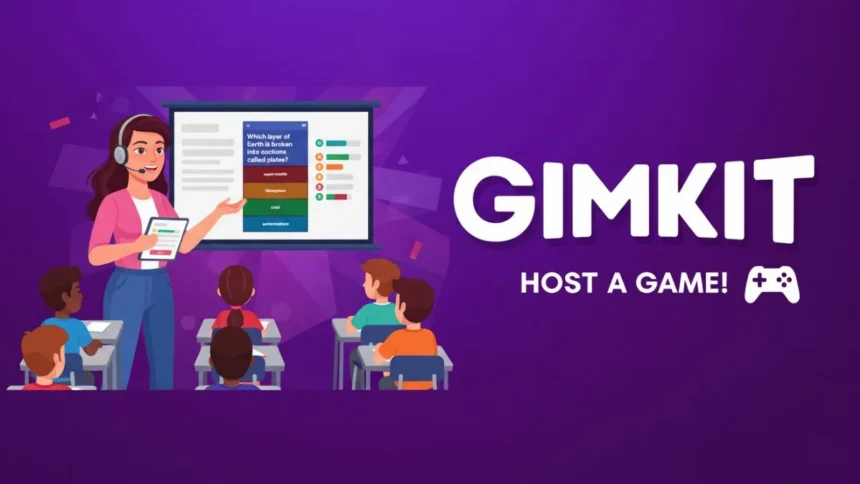
What is Gimkit and Why Host It?
Gimkit is a game-based learning platform that has gained popularity among educators for its unique approach to combining learning and entertainment. Designed to engage students through competitive gameplay, Gimkit facilitates an interactive environment where learners can absorb information in a fun and interactive manner. By allowing users to create and customize quizzes, Gimkit serves as a versatile tool that can be adapted for various educational purposes, from practicing math skills to reinforcing vocabulary.
Hosting Gimkit games brings significant benefits to the classroom setting. One of the key advantages is enhanced student engagement. Traditional methods of teaching sometimes fail to capture the attention of modern learners, but the gamified experience offered by Gimkit transforms learning into an enjoyable activity. This engagement can motivate students to participate more actively, leading to improved retention of knowledge.
Additionally, Gimkit promotes competitive learning. Students compete against their peers, which encourages a healthy sense of rivalry. This aspect not only makes learning exciting but also fosters a collaborative atmosphere where learners encourage each other to excel. Furthermore, the platform provides instant feedback throughout the game, allowing students to quickly understand their progress and identify areas for improvement.
Gimkit can be effectively used in various scenarios. For example, in a classroom setting, a teacher could host a Gimkit game during a review session before exams. This approach allows students to reinforce their understanding of key concepts while enjoying the competitive nature of the game. Similarly, Gimkit can be utilized during remote learning sessions, providing an engaging alternative to traditional quizzes. By hosting a Gimkit game, educators can create a dynamic learning experience that successfully integrates fun with education, ensuring that students stay motivated and engaged in their studies.
Setting Up for Success: How to Host a Gimkit Game
Hosting a Gimkit game can be a rewarding and engaging experience for both the host and the participants. To ensure a smooth setup, follow these step-by-step instructions. The first step is to create a teacher account on the Gimkit platform. This account grants access to various features necessary for hosting a game.
Once your account is set up, you can either design your own custom game or select from existing ones that are available. When creating a custom game, thoughtful consideration of the subject matter and difficulty level is important to align with your students’ educational needs. Additionally, utilizing the existing games can save time and ensure well-curated content.
After finalizing the game, it is crucial to invite participants to join. You can easily share the game link or code with your students, whether in person or remotely. Ensure that all participants have compatible devices, such as laptops, tablets, or smartphones, and verify that they are connected to a reliable internet connection to avoid disruptions during gameplay.
In a classroom setting, preparation of the environment plays a significant role in engagement. Arrange seating to facilitate interaction among students, and ensure that all technological equipment, such as projectors or smart boards, are in working order. In a virtual setting, confirm that all students can access the video conferencing platform being used. Engaging students from the onset will set a positive tone for the game, so consider starting with a brief introduction or icebreaker before diving into the Gimkit action.
By following these important steps, you can successfully host a Gimkit game that not only enhances learning but also adds an element of fun to your teaching approach.
Engagement Strategies for Hosting Gimkit
When hosting a Gimkit game, maintaining high levels of engagement is essential for a successful experience. One fundamental strategy is pacing, as it directly influences the excitement level throughout the game. It is advisable for hosts to create a balanced rhythm by alternating between faster quiz rounds and slower, more reflective segments, giving players ample opportunity to think and collaborate.
Furthermore, encouraging teamwork can significantly enhance player engagement. Incorporating team-based gameplay can allow participants to share knowledge and support each other, fostering a sense of camaraderie while still promoting healthy competition. As a host, encouraging players to form small groups adds an element of collaboration, making each session more enjoyable.
Utilizing game features like power-ups or bonus rounds can also elevate player engagement. These elements not only serve to shake up the gameplay but can also motivate players to strategize. For instance, providing bonus points for rapid responses or rewarding teams with power-ups for correct answers keeps the dynamics lively and encourages participants to stay focused. Additionally, rotating leaderboards throughout the game can create a sense of urgency and reinforce competitive spirits.
Creating a competitive yet friendly atmosphere is critical. Hosts should communicate clear expectations regarding sportsmanship and respect among players, which will result in a more enjoyable experience for all. Furthermore, effectively handling game dynamics—such as monitoring leaderboard visibility and responding positively to player interactions—will ensure that everyone feels valued and motivated.
By implementing these engagement strategies, hosts can create an immersive and dynamic environment that maximizes the fun in hosting a Gimkit game, thereby elevating the overall experience for participants. An emphasis on teamwork, pacing, and utilizing game features not only enriches gameplay but also promotes sustained interest and engagement among players.
Analyzing Results: How to Learn after Hosting Gimkit
Once you have successfully hosted a Gimkit game, the next crucial step lies in analyzing the results. This analysis not only allows you to evaluate how well students performed during the session but also provides valuable insights into their understanding of the subject matter. After conducting a Gimkit session, take the time to review the results comprehensively. Begin by examining individual student performance to identify both strengths and areas needing improvement.
One effective way to do this is by utilizing the reporting features provided by Gimkit. These reports can help you track students’ scores, the number of correct answers, and the time taken to answer questions. This data serves as a powerful tool for recognizing patterns in class performance. For instance, if a substantial number of students struggled with a particular question, it may indicate a broader knowledge gap that requires addressing in future lessons.
Feedback is another essential component of the post-game analysis. Providing personalized feedback to students can significantly enhance their learning experience. When discussing performance, emphasize both achievements and areas for growth, ensuring that students understand how they can improve. Consider offering suggestions for additional resources or practice to help them deepen their knowledge.
Furthermore, use the data gathered from the Gimkit session to inform your teaching strategies moving forward. If certain topics proved challenging for the majority, it may be worthwhile to revisit those concepts through alternative methods, such as group discussions or project-based learning. Incorporating this data-driven approach can lead to more effective lesson planning and ultimately support better learning outcomes.




Leave a Reply